Changelogs
Stay up to date with the latest changes and enhancements.
Stay up to date with the latest changes and enhancements.

04. Dec 2025
Compartir
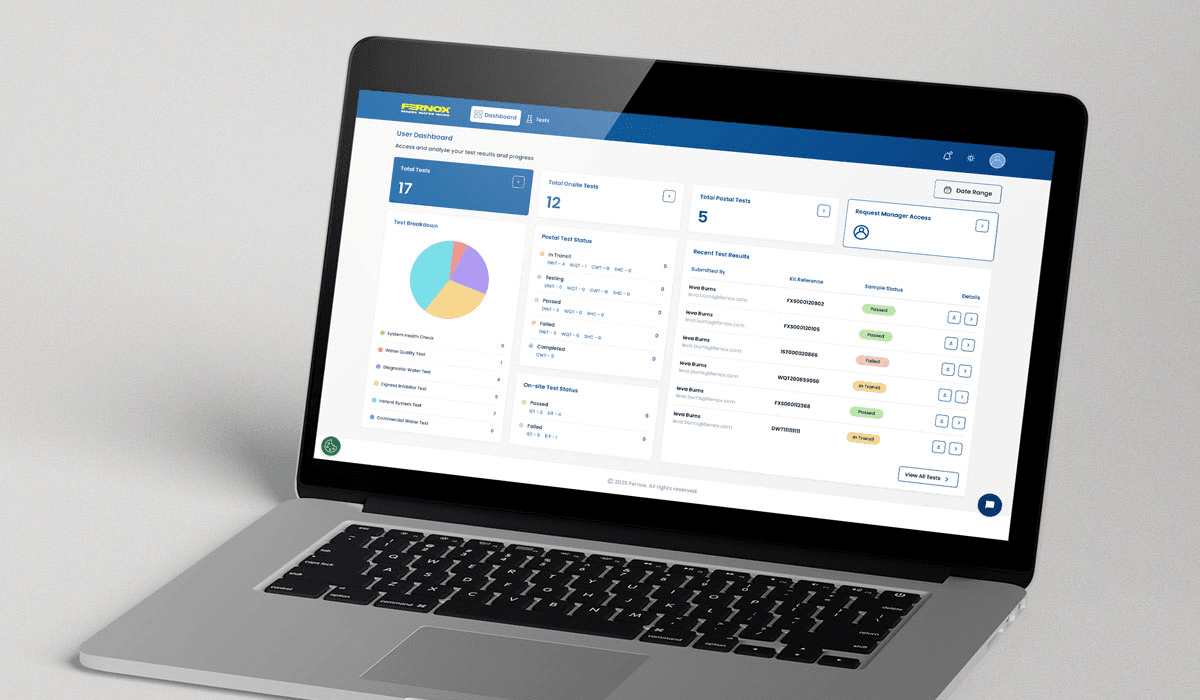
We’re excited to share a major update to the Fernox Portal, bringing a range of improvements across the entire platform for both general users and managers, along with an early look at powerful new features currently in development.
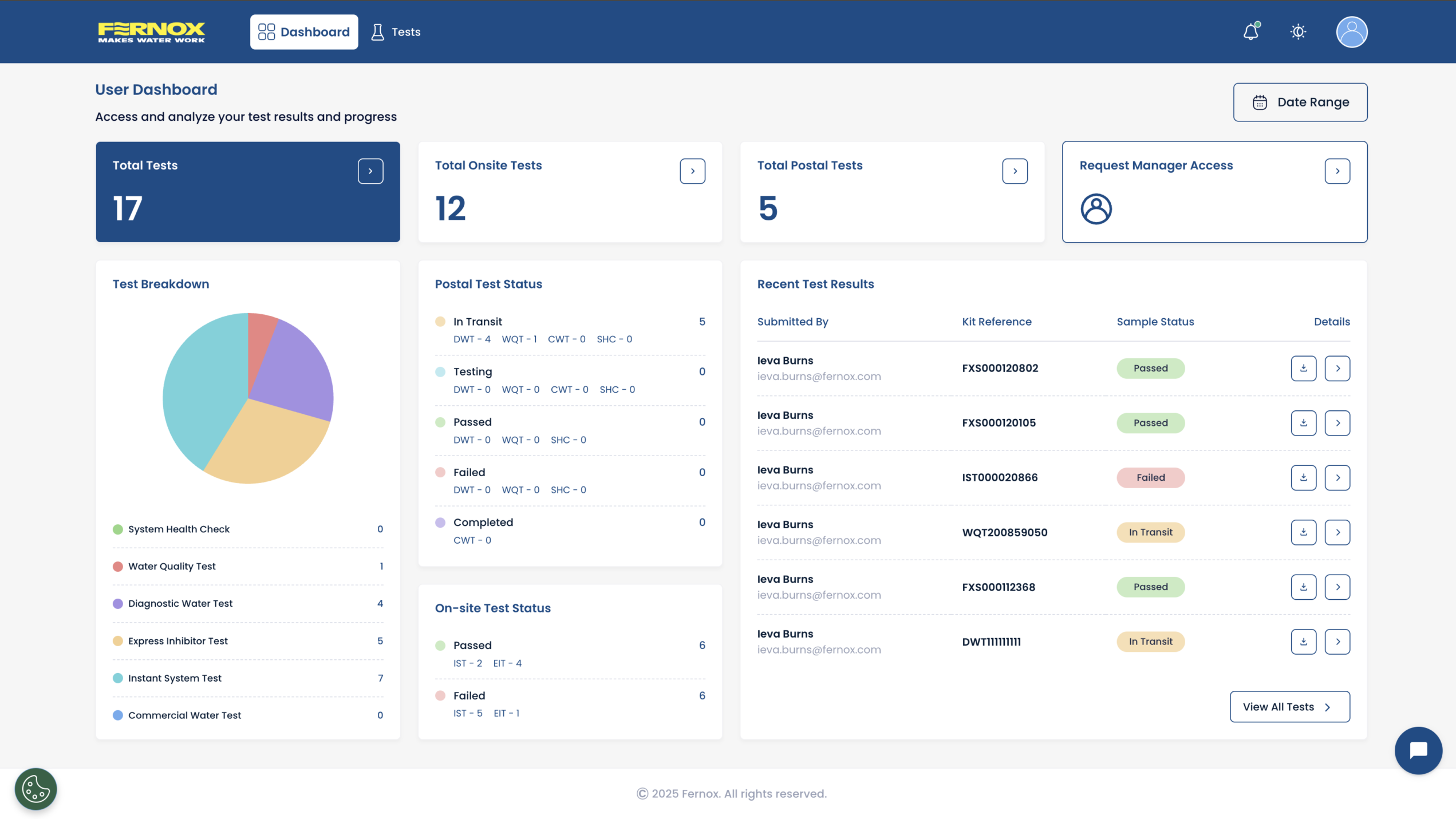
New Dashboard Experience
The dashboard has been redesigned to give users a cleaner and more intuitive overview of their activity.
Key improvements include:
A clearer breakdown of total tests and test types.
A visually improved layout that makes it easier to understand trends at a glance.
Quick Links for Faster Navigation
We’ve introduced a set of Quick Links that provide immediate access to core test sections:
Total tests
On-site tests
Postal tests
These links are always visible on the dashboard, helping user’s shortcut their usual workflows and reach test lists with a single click.
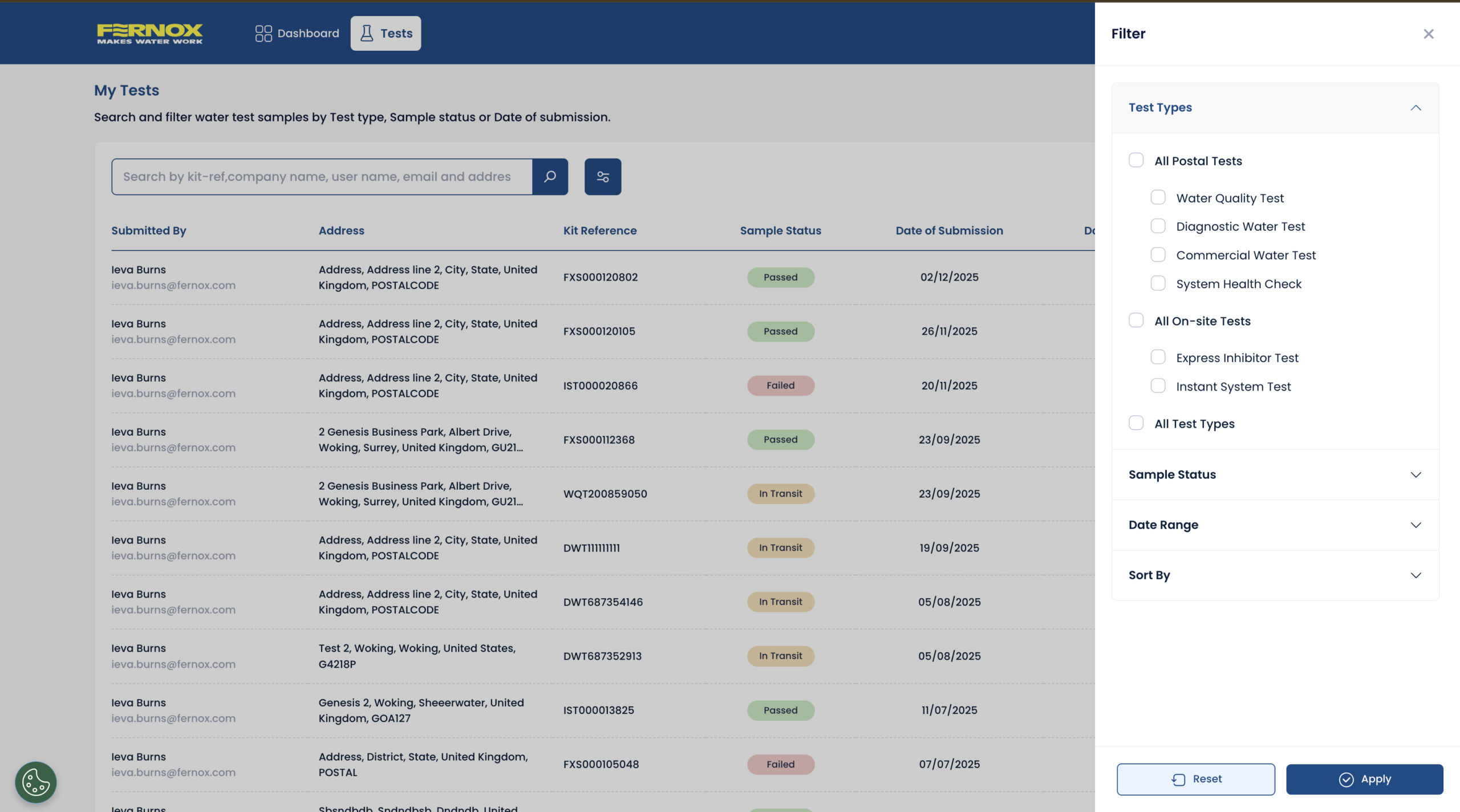
Test Page Enhancements
Updated interface with improved row hierarchy for quicker, easier scanning.
Test type filtering has been streamlined and moved to sit alongside the other filters.
Quickly clear the filters shown under the search bar with a single click.
Users can now filter multiple test types at the same time.
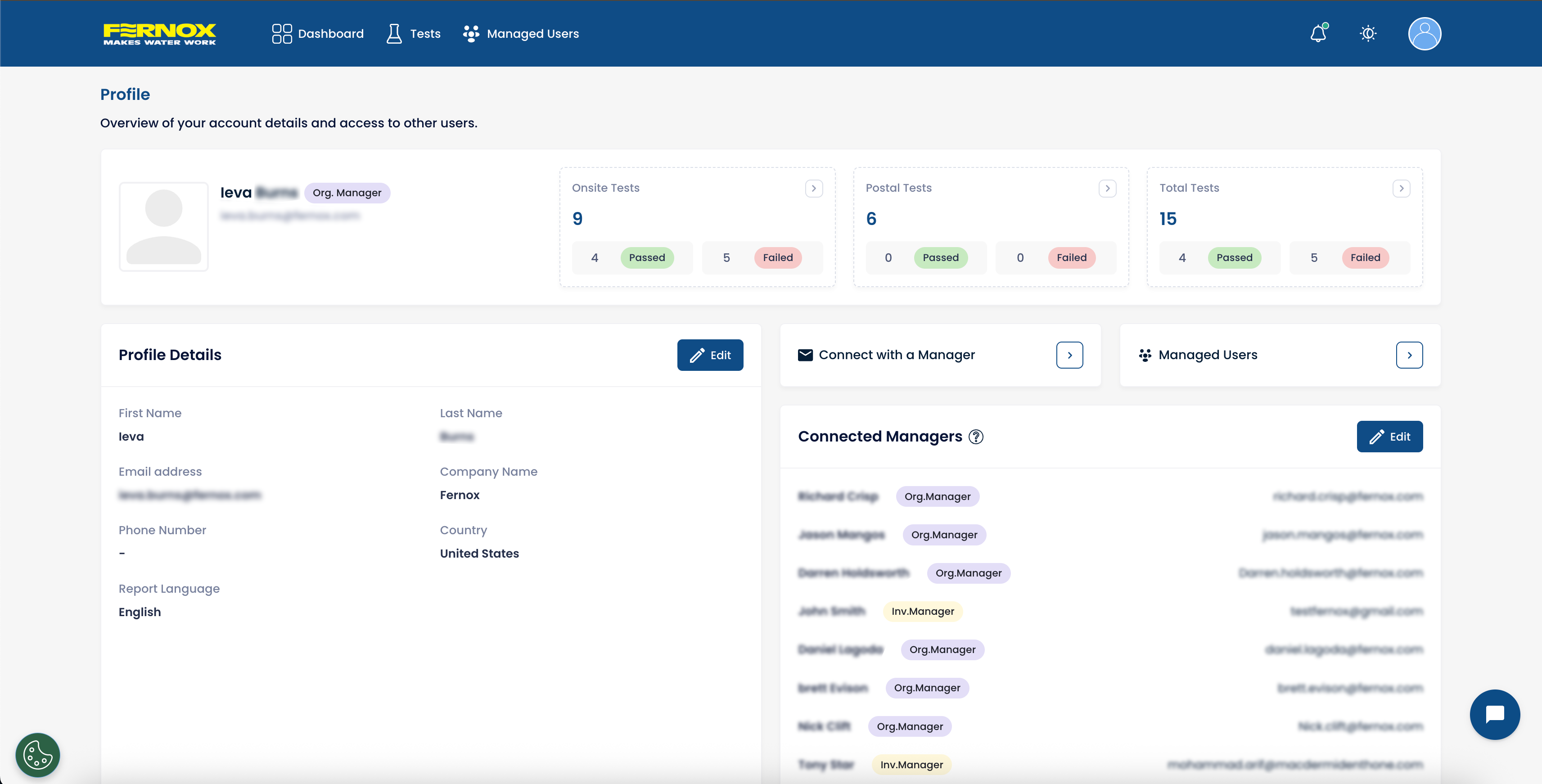
Improved Profile Management
The Profile section has been fully rebuilt to give users complete visibility and control over their account and an overview of managers that can view their tests.
From their Profile users can now:
Easily connect with a manager.
See a real-time list of managers who currently have access to their samples.
Edit or revoke access for manually linked managers.
Users can request manager access directly from their Profile.
Simplified Manager Access Requests
Requesting manager access is now easier—available from the dashboard Quick Links or the profile navigation bar.
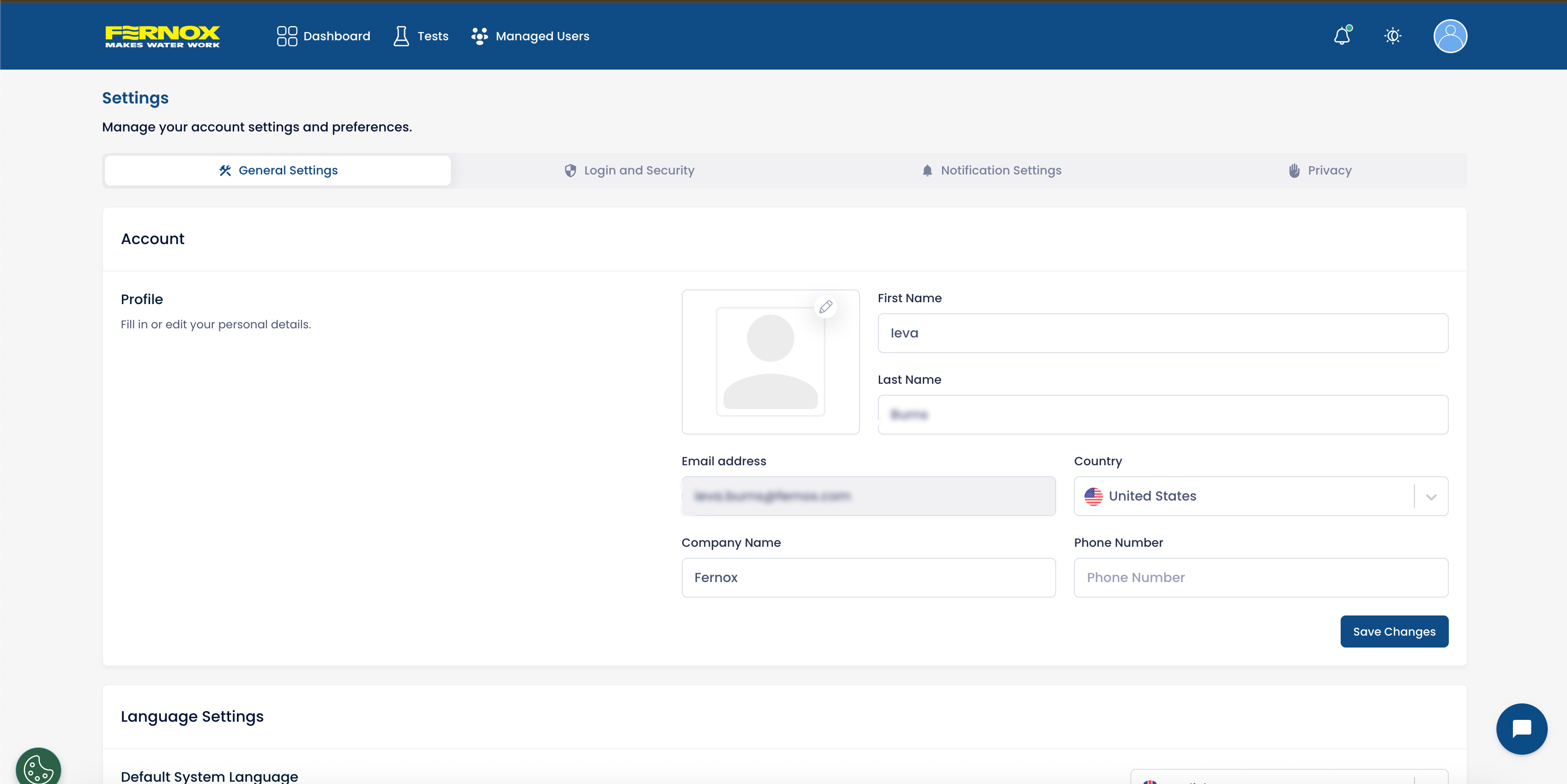
New Settings Page
A fully centralised settings page is now available with expanded configuration options:
Account details – update name, company, or contact information.
System language – switch between supported languages easily.
Test report language – choose a preferred language for automatically generated PDF reports.
Notification preferences – optional email report copies can now be turned off to avoid inbox clutter.
Policies – access Terms, Privacy Policies, and data management information in one place.
Login & security – improved access to password controls and security options.
User Invitations for Organisational Managers
Organisational managers now have more powerful onboarding tools.
Invite users directly via email.
Share an invite link for quick-signup access.
Benefit from automatic linking: users with the same email domain will be synced to the organisation without manual setup.
This speeds up onboarding, especially for large teams or multi-site organisations.
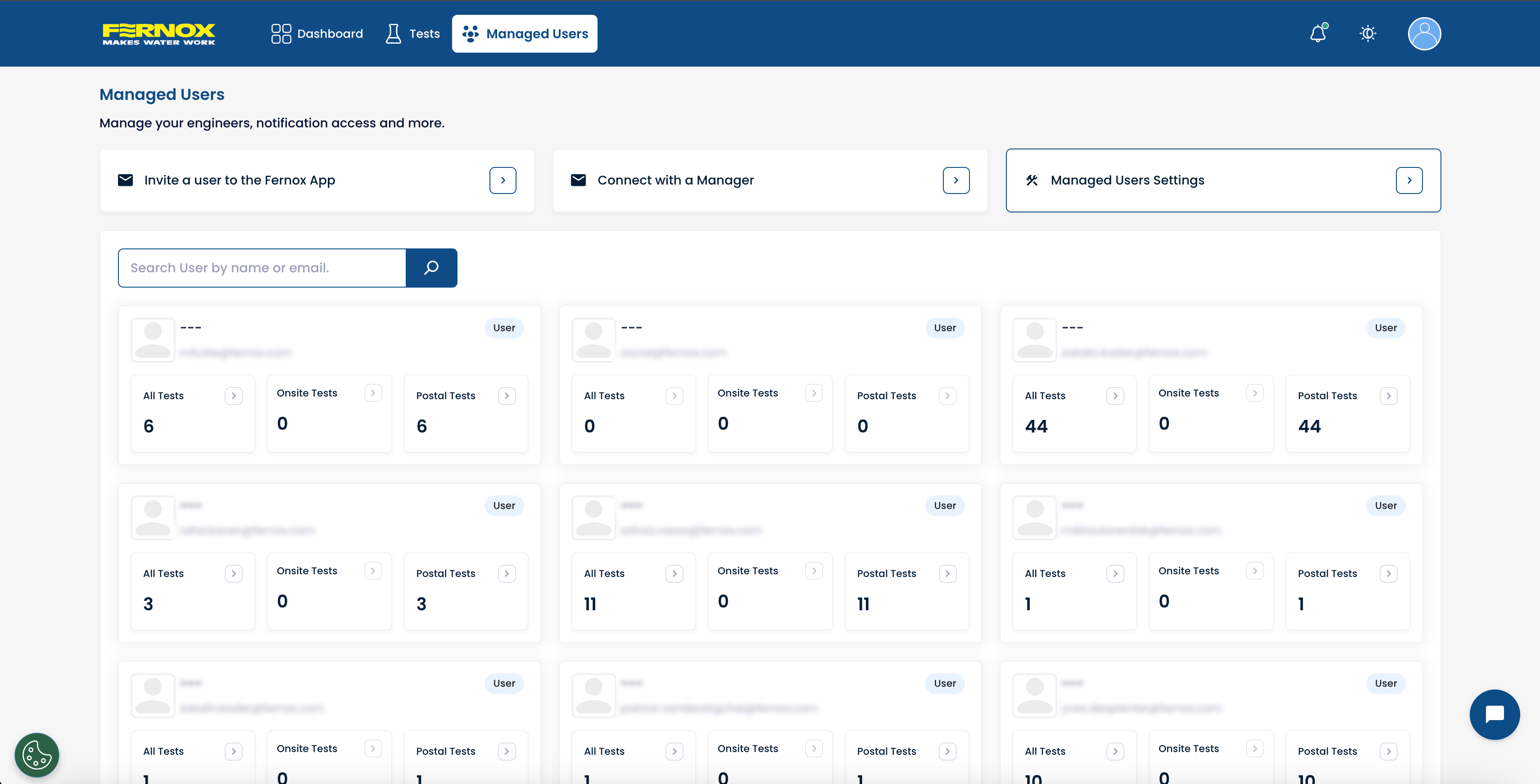
Managed Users Overview
Managers can now view all managed users in a single, organised overview inside the manager access page:
Quick Links for inviting new users into the Fernox App.
Controls for managing incoming email reports from managed user to avoid unnecessary email inbox clutter.
See each user’s total, on-site, and postal test submissions at a glance.
Jump directly into a user’s test list, where filters are automatically applied for convenience.
This gives managers a complete operational dashboard for monitoring team performance.
Map View for Test Samples
A new geographical map overview will soon allow users and managers to:
Visualise sample locations.
Identify regional trends.
More details will follow closer to launch.
Data Export Function
The upcoming data export tool will allow users to:
Export test data into CSV or XLSX formats.
Perform bulk PDF report exports at the same time.
Filter and refine which data sets to export before downloading.
Advanced Filtering Options
More powerful filtering is being built to allow users to narrow tests by:
Project reference
Customer reference
Postcodes
Test type
And many more fields…
These refined filters will make it significantly easier to analyse and report on large sets of samples.
For any questions or if you need assistance during this transition, you can visit our new support page,check out our Guides & Instructions to help your transition to the new Fernox App or contact you local Fernox sales representative. For any urgent questions, please use the live chat, available Monday – Friday, 9am – 5pm (UK, GMT+1).
We appreciate your understanding and support as we make these improvements to provide you with a better, more efficient water testing experience.
Thank you for your continued feedback—these updates are driven by your suggestions and aimed at improving your day-to-day experience on the portal.